
SERP mode
Measures titles and meta descriptions in characters and in Pixels (Arial at 20 and 14 px, like Google) without crawling anything. Use it to write new texts or to check the ones a client sends you before they’re published.
Open it with SERP mode → in the sidebar.
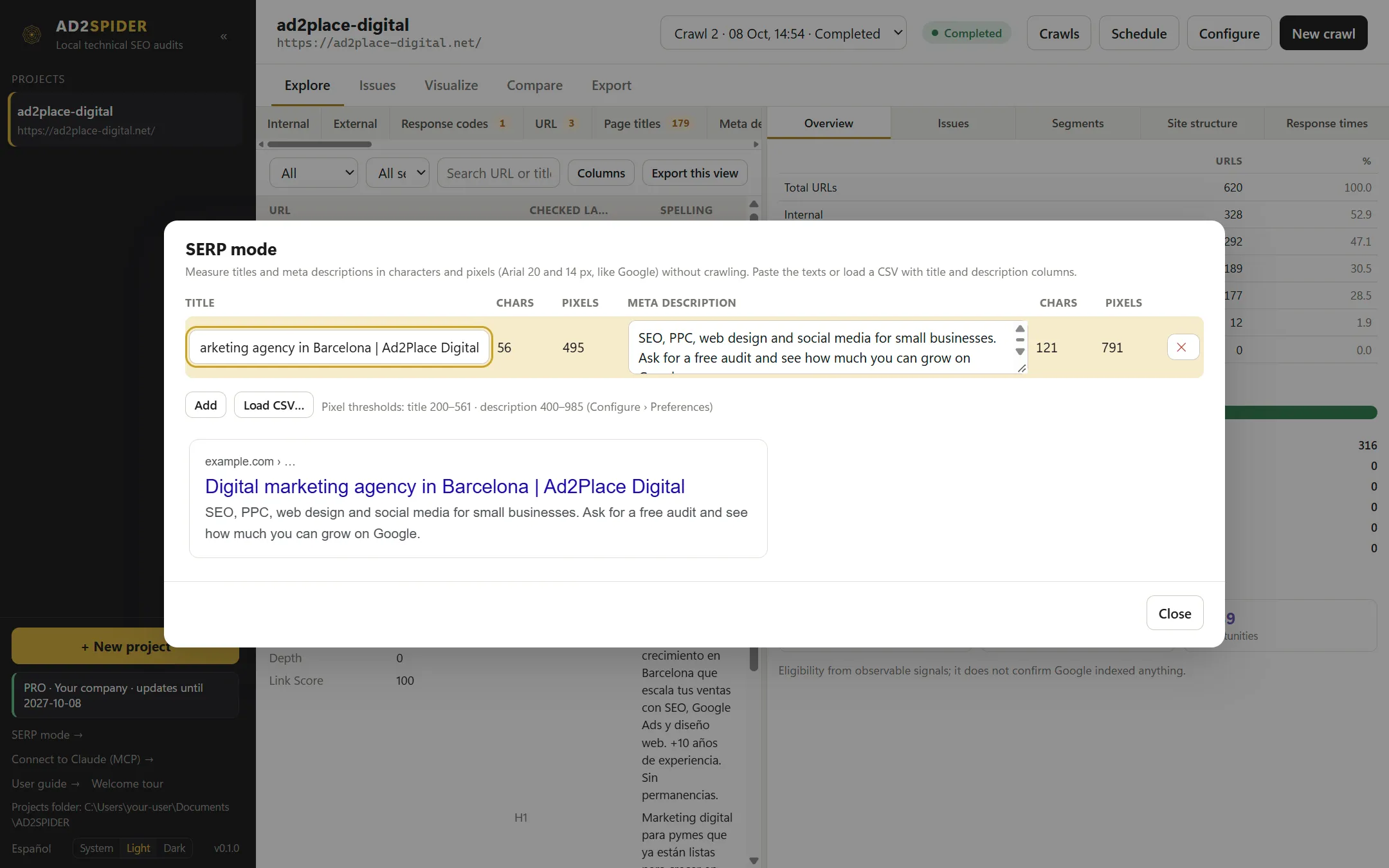
- Type a title and a meta description in each row: the counters change color if they’re too short or too long according to the thresholds in Preferences.
- Add adds rows; ✕ removes one.
- Load CSV… imports up to 100,000 rows. It detects the separator (comma or semicolon) and the
title/título,description/descripciónandurlcolumns; without a header row, it uses the first two columns. - Below, the preview shows how the row you’re on would look in Google.
Connect to Claude (MCP)
AD2SPIDER includes an MCP (Model Context Protocol) server: Claude, or another compatible assistant, can query your crawls and answer questions such as “what errors does the latest crawl of my store have, and which ones should I fix first?” or “compare the last two crawls and summarize what got worse”.
It’s read-only: it never starts crawls or changes projects. Your data stays on your computer except what the assistant reads to answer you.
Open Connect to Claude (MCP) → in the sidebar:

- Claude Desktop: copy the JSON block with Copy, paste it into
claude_desktop_config.json(in Claude Desktop: Settings › Developer › Edit Config) and restart Claude Desktop. - Claude Code: copy the command and run it in a terminal.
The assistant has these queries available: list of projects and crawls, crawl overview, issues (with their explanation and URLs), URL search with the same filters as the explorer, full details for a URL, crawl comparison, site structure and reports.
Command line
ad2spider.exe, which is installed alongside the app, lets you crawl and export without opening the window: for automated tasks, scripts or integrations with other tools. It shares projects with the app, so whatever you crawl from the command line you’ll see later in the app, and vice versa.
ad2spider crawl   <proyecto> [<url>] [opciones de rastreo] [opciones de salida]
ad2spider resume  <proyecto> [opciones de salida]
ad2spider export  <proyecto> [--crawl <id>] <opciones de salida>
ad2spider compare <proyecto> [--output comparacion.csv]
ad2spider report  <project> --type <type> --output <report.pdf|.html>   (see Client reports)
ad2spider status  <proyecto>
ad2spider config
ad2spider license
ad2spider help [vistas|informes]
<proyecto> is the name of a project in the app, or a folder. If it doesn’t exist, crawl creates it with the URL you give; if it exists, it repeats the configuration of its last crawl.
Crawl options
| Option | What it does |
|---|---|
--list <fichero> |
List mode with the URLs from a .txt, .csv or .xlsx file. |
--config <fichero> |
Full configuration in JSON. ad2spider config prints the template with the default values, and a profile exported from the app works too. |
--max-urls <n>, --concurrency <n>, --delay-ms <n> |
URL limit, concurrent requests and delay per server. |
--js |
Render with JavaScript. |
--spelling |
Check spelling (requires the module installed from the app). |
--intranet |
Allow local network addresses. |
--ignore-robots |
Don’t respect robots.txt. |
Output options
| Option | What it does |
|---|---|
--output-folder <carpeta> |
Where the files are saved (required if you ask for any output). |
--timestamped-output |
Creates a subfolder inside it with the date and time. |
--format xlsx|csv|jsonl |
Format for tables and views (Excel by default). |
--export-tables urls,issues,links |
The full tables. |
--export-tabs <vistas> |
Explorer views separated by commas. Each view combines parts with +: a filter (internas, 4xx, indexables…), tipo:html, regla:<id>, segmento:<nombre> or directiva:noindex. ad2spider help vistas lists them all. |
--issues |
One file per issue with its URLs, in the problemas/ folder. |
--save-report <informes|all> |
CSV reports: redirect_chains, canonical_chains, insecure_content, http_headers, cookies, crawl_path, js_console. |
--create-sitemap |
sitemap.xml with the indexable pages. |
--compare |
comparacion.csv against the previous completed crawl. |
Examples
Crawl a new website and save the tables as CSV along with the reports:
ad2spider crawl mitienda https://www.mitienda.com/ --output-folder D:\auditorias --timestamped-output --export-tables urls,issues,links --save-report all --format csvRepeat the crawl of an existing project and export only the internal HTML pages with a missing title and the 4xx errors, plus the comparison:
ad2spider crawl mitienda --output-folder D:\auditorias --export-tabs "internas+tipo:html+regla:title.missing,4xx" --compareBehavior
- Ctrl+C (also in the Mac Terminal) pauses the crawl cleanly;
ad2spider resume <proyecto>continues it. - Exit code: 0 if everything went well, 1 if there was an error, 2 if the crawl was left paused.
- A project only allows one crawl at a time: the command line, the app and scheduled crawls all respect each other.
- It respects the computer’s license, just like the app.