
By Jose Redondo · Updated
A technical SEO audit answers three questions: can Google reach every page that matters?, does it understand which version of each page is the right one? and is anything making those pages slow, confusing or unreliable? Content and backlinks matter, but if the technical foundation fails, nothing else pays off.
Order matters. There is no point polishing the titles of pages Google cannot index, so the steps go from what blocks to what improves. The screenshots come from AD2SPIDER, the tool we use for these audits, but the steps work with any crawler.
Downloadable checklist: the 37 checks in this guide as a spreadsheet, with columns for status, affected URLs and notes. Download the checklist (Excel)
Before you start: crawl the site the way Google does
Everything starts with a full crawl: a program that enters through the home page, follows internal links the way Googlebot does and records, for every URL, its status code, tags, links and content. Checking pages by hand helps you understand a problem, not find it: technical issues usually live in templates and affect hundreds of URLs at once.
Set up the crawl like this:
- As a mobile device. Google indexes the mobile version of sites, so that is the point of view that counts.
- Respecting robots.txt, so you see what Google sees. To find out what sits behind blocked sections, run a second crawl that ignores it.
- With JavaScript rendering if the site is built with React, Vue, Angular or similar: without it, part of the content and links does not exist for the crawler.
- Reading the XML sitemaps, to compare what the site declares with what it actually links to.
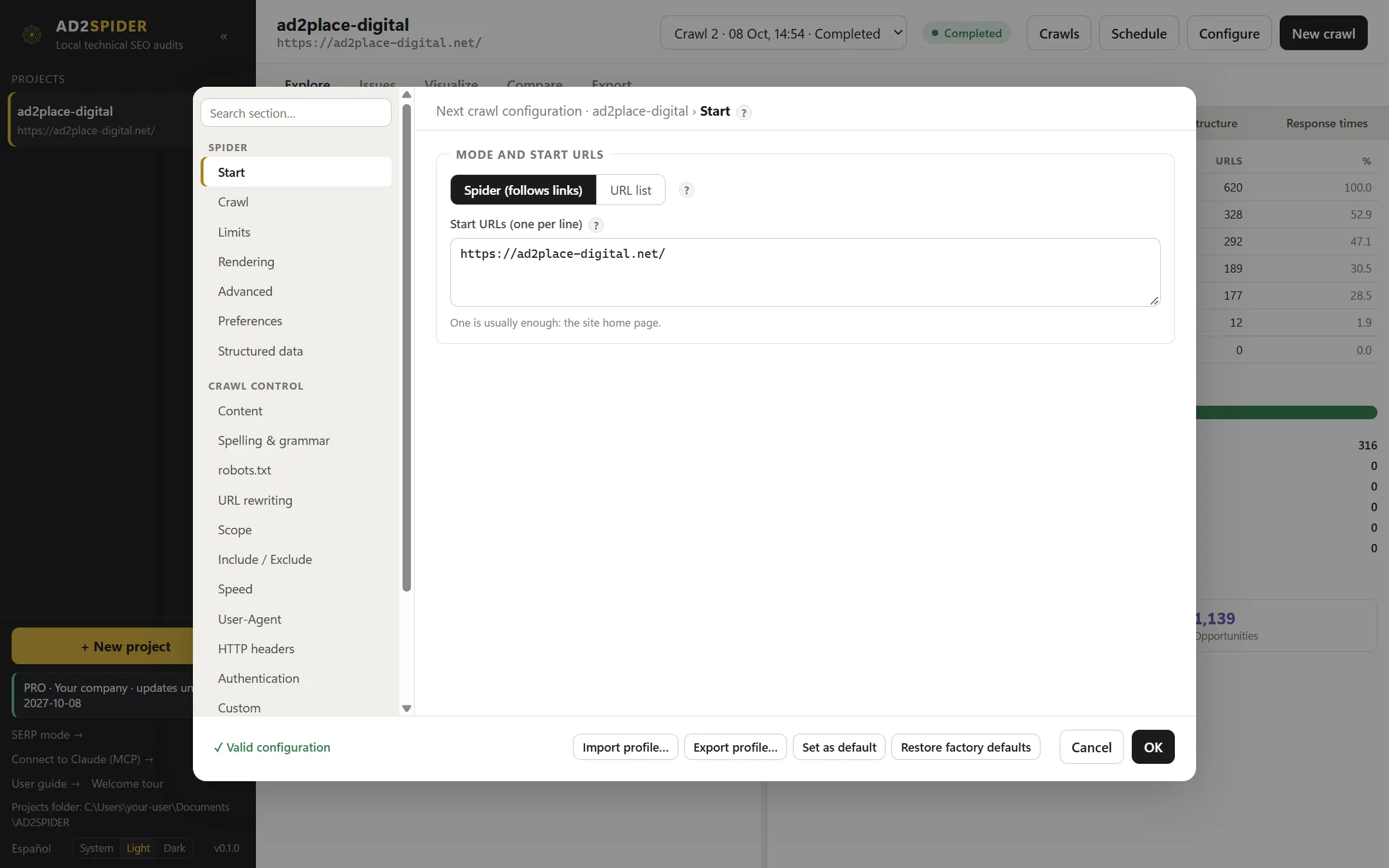 One start URL, the home page, is usually enough. Spider mode follows links the way Googlebot does.

Keep this first crawl. It is your baseline to check, once changes are deployed, that issues are fixed and nothing new has broken.
Step 1. Indexability: what can get into Google
Start by finding out which pages can be indexed and which cannot, and whether that matches what you want.
- robots.txt: make sure it does not block important sections, or the CSS and JavaScript files Google needs to render the page. You can test individual URLs with the robots.txt tester.
- noindex: look for important pages with
noindexin the meta robots tag or in theX-Robots-Tagheader. A classic mistake after moving from staging to production. - Contradictions: a page blocked in robots.txt and marked
noindexis a problem, because Google cannot read thenoindexif it cannot crawl the page.
More in Indexability: noindex and robots.

Step 2. Status codes and redirects
Every URL should return 200 (OK) or redirect once, with a 301, to its final destination.
- 4xx and 5xx errors on pages linked from the site itself.
- Redirect chains (A → B → C) and loops: every hop wastes crawling and dilutes signals. Always link to the final URL.
- 302 redirects that are actually permanent.
- Soft 404s: “not found” or empty pages that return 200.
More in Redirects and status codes.
Step 3. Canonicals and duplicates
When several URLs show the same content (with and without a trailing slash, with parameters, print versions, filters), the canonical tag tells Google which one is the right one.
- Canonicals pointing to URLs that redirect, return an error or are
noindex. These are mixed signals, and Google ends up choosing on its own. - Pages without a canonical on sites with many URL variants.
- Duplicate or near-duplicate content between pages that should be different.
More in Canonical tags and Duplicate and thin content.
Step 4. Internal linking and site architecture
Internal links are the crawler’s path and the way you tell Google which pages matter most.
- Broken links (to 404s) and links to redirects, especially in menus and templates.
- Orphan pages: listed in the sitemap but not reached by any internal link.
- Click depth: important pages should be a few clicks from the home page; beyond four or five, Google crawls them less.
- URL structure: readable, consistent and free of unnecessary parameters. See URL structure.
Seeing the site as a tree helps a lot: at a glance you can tell which sections hang off the home page, which are buried and which branches are not indexable.
 The crawl tree shows how each section is reached from the home page, color-coded for indexable, non-indexable, redirects and errors.
More in Broken links and internal linking.

Step 5. XML sitemaps
The sitemap should list only the URLs you want indexed: returning 200, indexable and self-canonical. A sitemap full of redirects or noindex pages loses credibility.
Compare the sitemap with the crawl: URLs in the sitemap that nothing links to (orphans), and indexable linked URLs missing from the sitemap. If the sitemap is a mess, you can generate a clean one from the crawl itself. More in XML sitemaps.

Step 6. On-page tags and content
With the technical foundation in order, review what Google reads from each indexable page:
- Title tags and meta descriptions: missing, duplicated, too long or too short. See how they would look on Google with the SERP simulator. See Title tags and meta descriptions.
- Headings: one clear H1 per page and a logical hierarchy. See H1 and heading tags.
- Images: alt text, file size and dimensions. See Images: alt text, size and dimensions.
- Thin content: pages with very little original text.
- Structured data: valid and consistent with what is visible on the page. See Structured data.
Only review these on indexable pages: there is no point optimizing the title of a page that is noindex or canonicalized to another URL.
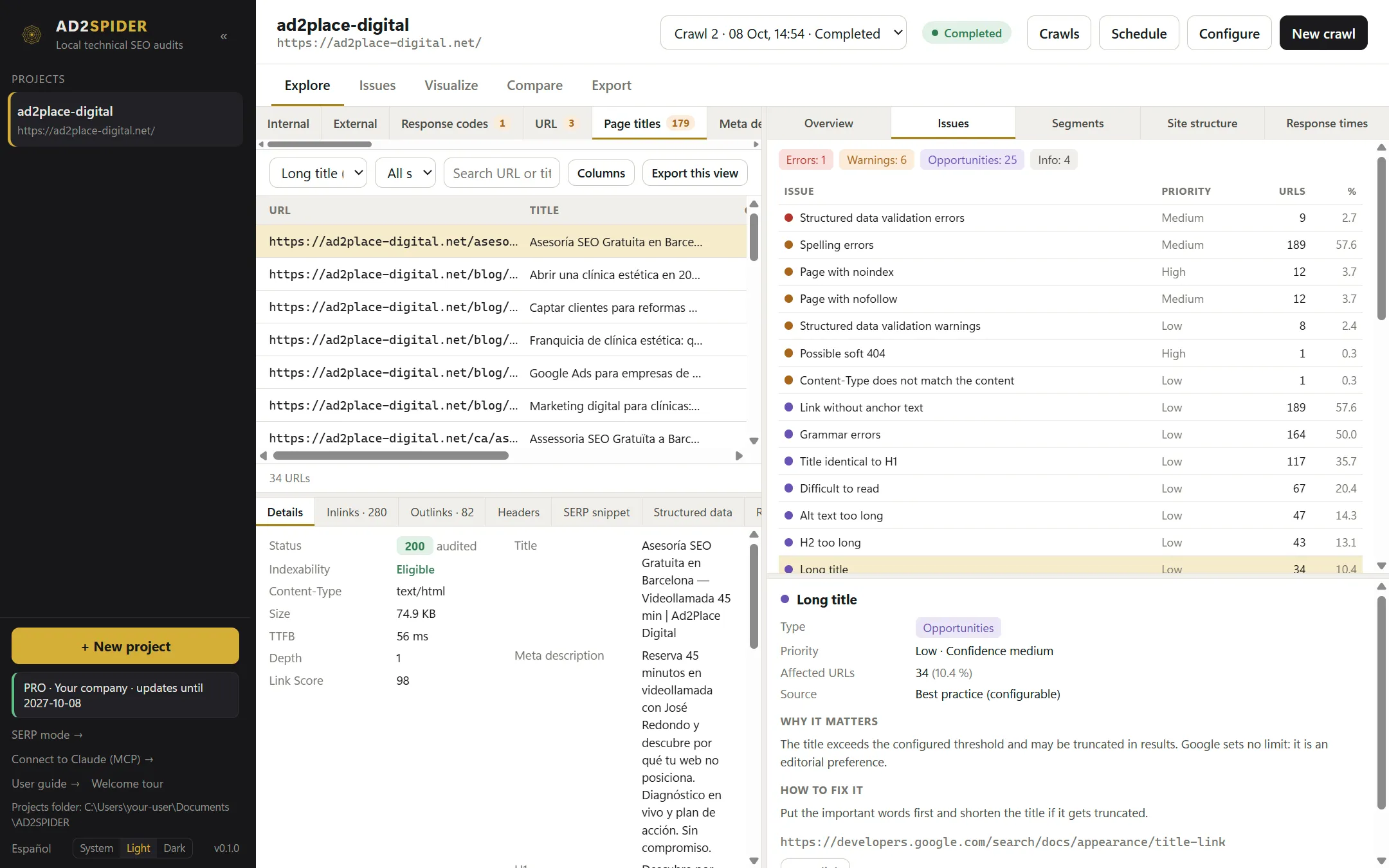 Filtering by an issue (here, long title tags) lists every affected URL, the details of each one and why it matters.

Step 7. Multilingual and multi-regional sites
If the site has versions by language or country, hreflang tags tell Google which version to show each user. Typical issues: missing return links between versions, wrong language codes, hreflang pointing to URLs that redirect or are not canonical, and no x-default.
More in Hreflang and, if the site uses pagination, Pagination.
Step 8. Performance, security, JavaScript and accessibility
- Core Web Vitals: LCP (loading), INP (responsiveness) and CLS (visual stability). Use field data where available. See Page speed and Core Web Vitals.
- HTTPS: the whole site on HTTPS, no mixed content, and basic security headers. See HTTPS and security headers.
- JavaScript: compare the HTML the server sends with the rendered result. If links or main content only appear after JavaScript runs, you depend on Google rendering it correctly. See JavaScript SEO.
- Accessibility and valid HTML: not direct ranking factors, but broken HTML can break how tags are read, and accessibility is now a legal requirement for many sites. See WCAG accessibility and HTML validation.
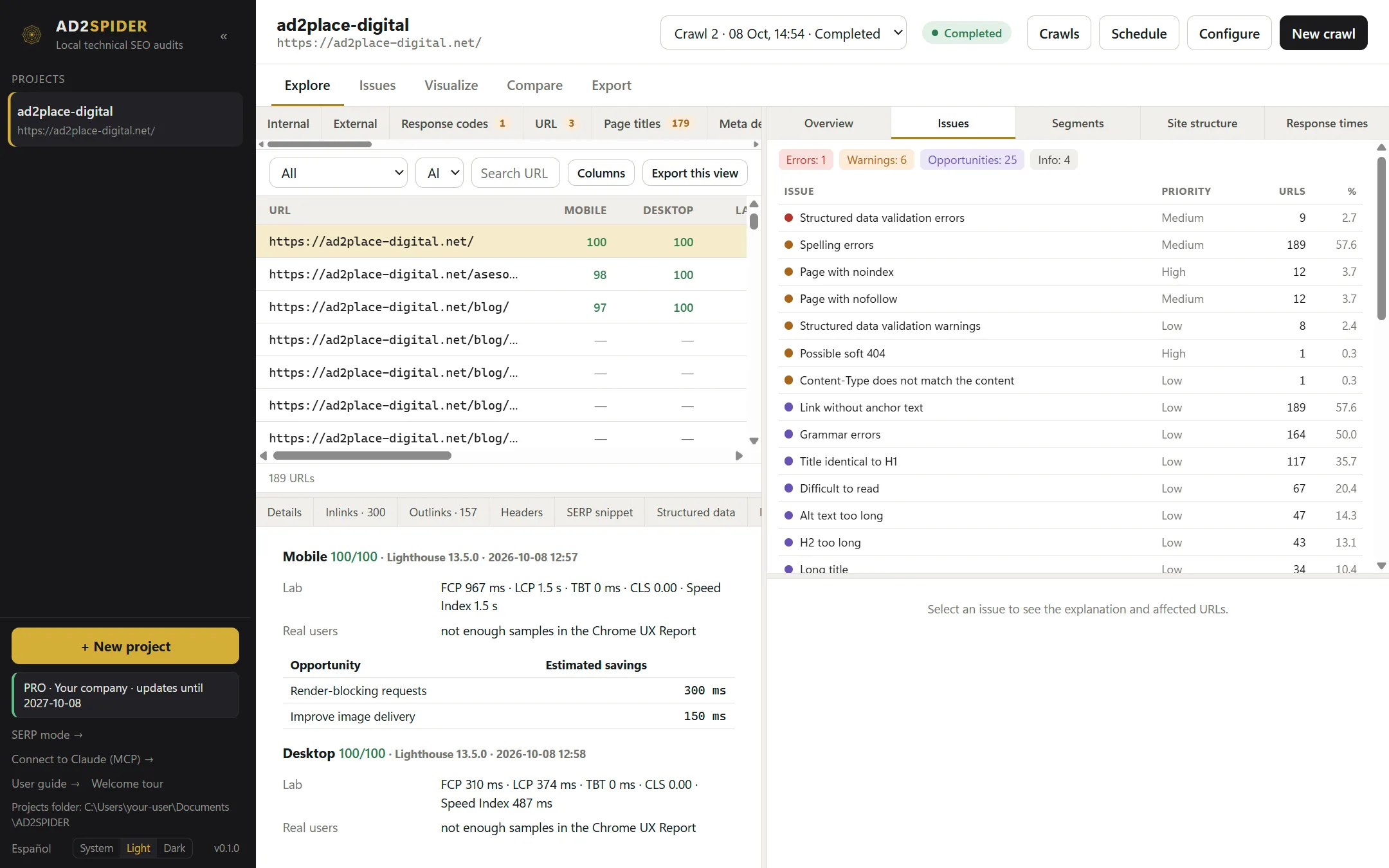 With the PageSpeed Insights integration, each URL’s Core Web Vitals sit next to the rest of the crawl data.


How to prioritize what you find
An audit can return hundreds of warnings. Order them like this:
- Errors affecting many URLs. They usually have a single cause, such as a template or a menu link, and fixing it fixes hundreds of pages.
- Indexability of pages that should rank:
noindex, canonicals and blocks. - Internal linking: broken or redirected links, orphan or overly deep pages.
- Content: duplicate or missing titles, descriptions and H1s, thin content.
- Improvements, depending on the site’s goals.
For each issue, note how many URLs it affects, the likely cause and who should fix it (development, content or IT). That turns the report into a task list instead of a PDF nobody reads.
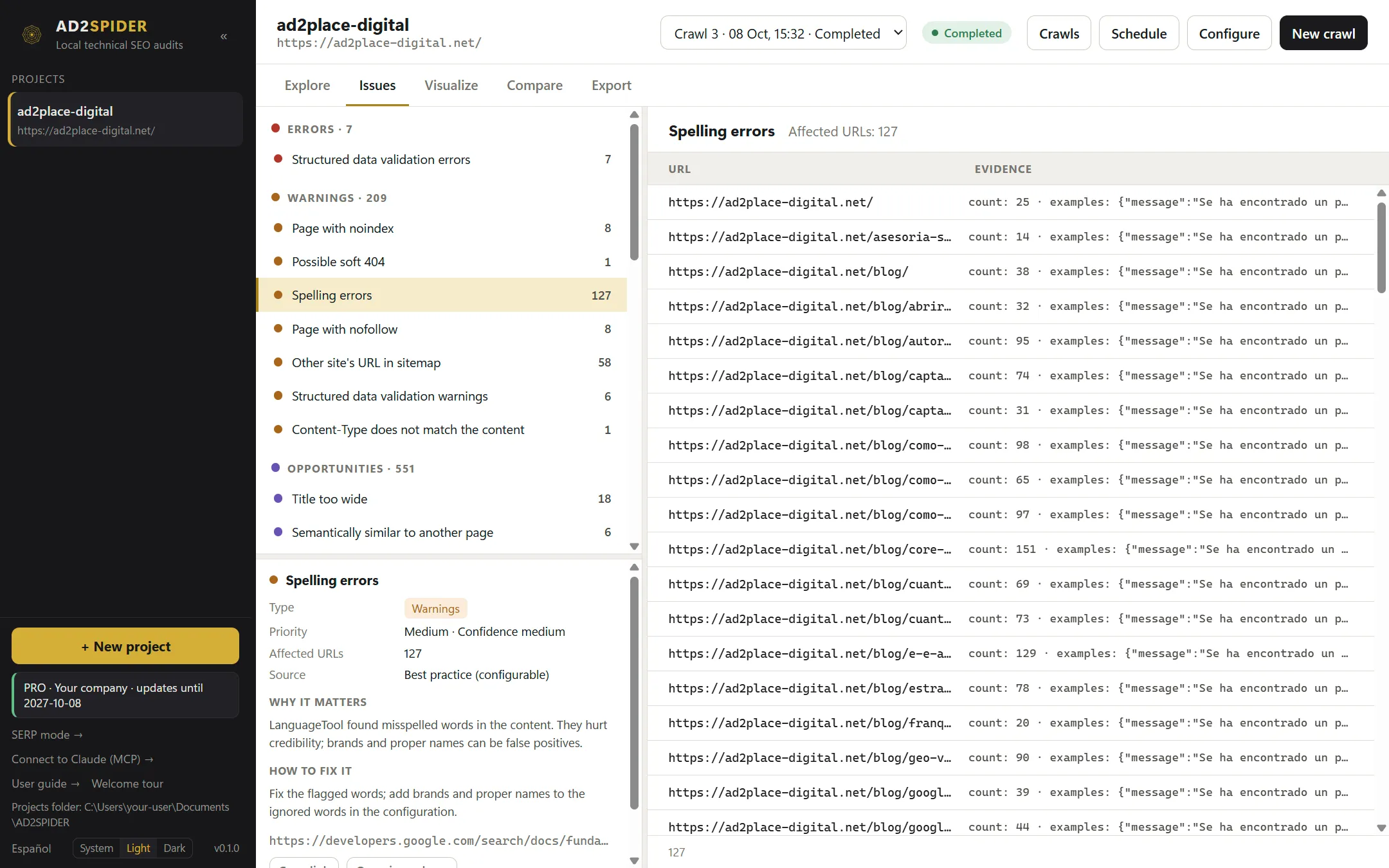 Issues are grouped into errors, warnings and opportunities. Each has a priority, the affected URLs with evidence, why it matters and how to fix it.
Case study: a 300-URL corporate site
To show what this looks like in practice, here are the results of a real crawl we ran on 21 October 2026 on the website of a services company with versions in two languages. We are not naming the client.
| Metric | Result |
|---|---|
| URLs found | 302 (128 HTML pages, the rest images and resources) |
| Crawl time | 86 seconds, with an average server response of 92 ms |
| Status codes | 288 OK (200), 10 redirects, no 4xx or 5xx errors |
| Errors | 0 |
| Warnings | 25 |
| Opportunities | 909 improvement notices across 29 rules |
With zero errors the site looked healthy, but the warnings told a different story:
- 12 pages with duplicate title tags and 4 without an H1. When an issue repeats like this, first check whether the pages share a template: it is usually fixed in one place.
- 5 orphan pages with no internal links, and 16 pages more than four clicks from the home page. If any of them is a money page, this is the most expensive issue on the list.
- 16 indexable pages missing from the sitemap and 7 internal links pointing to redirects.
- 4 language versions with no internal links and 18 pages without
x-defaultin their hreflang.
The opportunities, on the other hand, were almost all low impact and repeated on every page: images without width and height (123 pages), no HSTS header (123), heavy images (77 pages) and title tags that would be truncated on Google by width (59). Useful, but not urgent.
How to prioritize it: internal linking first (orphans, depth and internal redirects), because it decides which pages Google finds; then duplicate titles and missing H1s; then the sitemap and hreflang; and the opportunities, as a batch, in the next development cycle. That turns 900-plus notices into five tasks.
After fixing: crawl again and compare
Once changes are live, crawl again with the same settings and compare the two crawls: which issues are resolved, which are new, and which URLs changed status code, canonical or indexability. It is the only way to know a fix worked and did not break something else. Repeat the comparison after every major release.
 The comparison shows new and resolved issues, URLs that appear or disappear, and field-by-field changes.
Presenting the results
If the audit is for a client or another team, the format matters as much as the content. A good report starts with a one-page summary (what is fine, what is wrong and what needs to be done), continues with issues ordered by priority and ends with the affected URLs for whoever has to fix them.
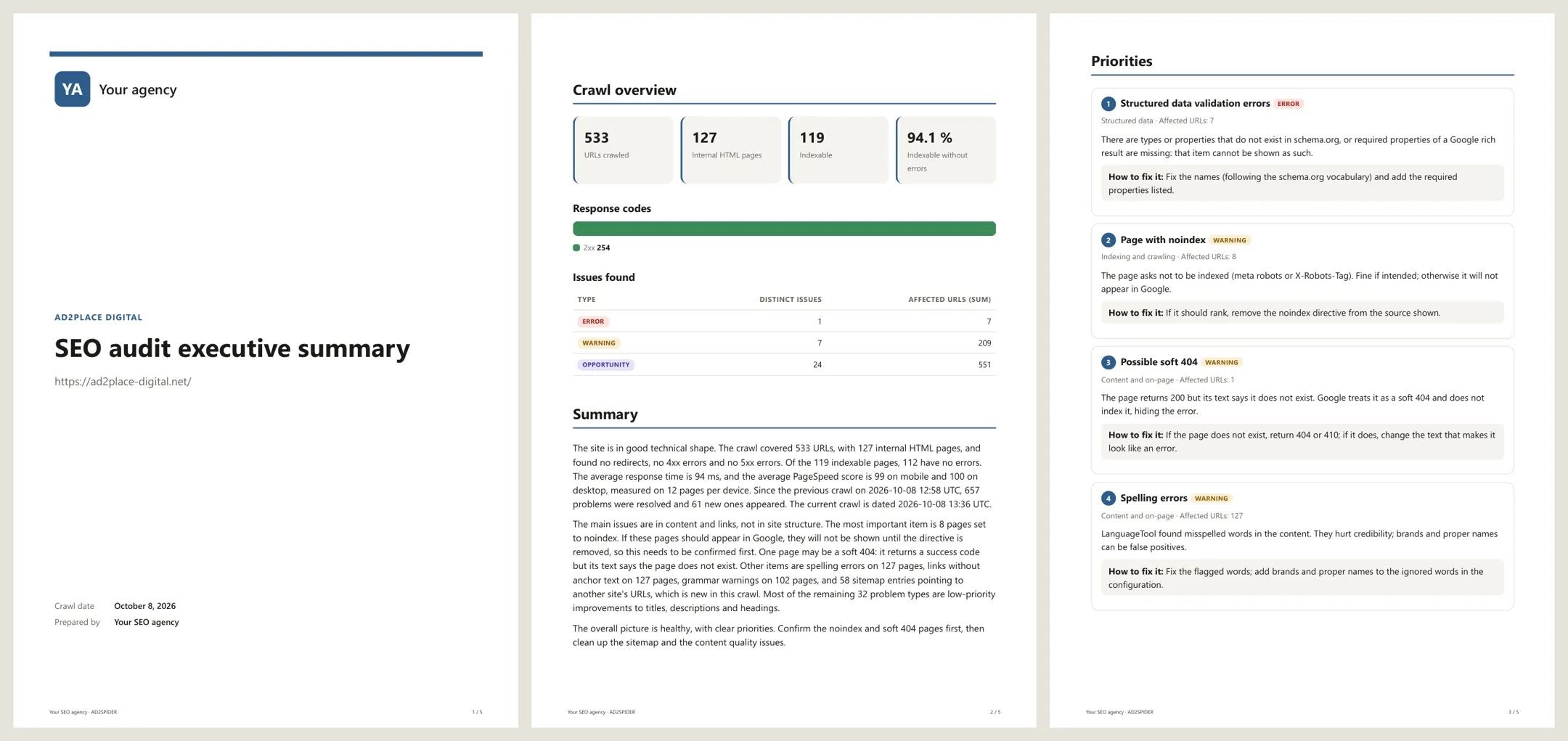 A PDF report with your logo, the summary and prioritized issues, ready to send.

Technical SEO audit checklist
A summary of what to check. The full version, with 37 checks and columns for status and notes, is in the downloadable checklist (Excel).
| Area | What to check |
|---|---|
| Crawl | Full crawl as mobile, respecting robots.txt, with JavaScript if needed, reading sitemaps |
| Indexability | robots.txt does not block important sections or resources; no key page with noindex; no contradictory blocks |
| Status codes | No internal links to 4xx/5xx; no redirect chains or loops; 301 for permanent moves; no soft 404s |
| Canonicals | Every canonical points to a 200, indexable, non-redirecting URL; URL variants canonicalized |
| Duplicates | No duplicate or near-duplicate pages that should be different |
| Internal links | No broken or redirected links; no orphan pages; key pages a few clicks deep |
| URLs | Readable, consistent, no unnecessary parameters |
| Sitemaps | Only 200, indexable, canonical URLs; consistent with internal linking |
| Tags | Unique title tags and meta descriptions of suitable length; one clear H1 |
| Images | Alt text, reasonable file size, declared dimensions |
| Structured data | Valid and consistent with visible content |
| International | Reciprocal hreflang, correct codes, pointing to canonical URLs, with x-default |
| Performance | LCP, INP and CLS in the green, or a plan to get there |
| Security | Everything on HTTPS, no mixed content, basic headers |
| JavaScript | Main content and links in the HTML, or rendered without errors |
| Accessibility | Basic WCAG criteria and valid HTML |
| Monitoring | Baseline crawl saved and compared after every change |
Frequently asked questions
What is the difference between a technical SEO audit and a full SEO audit?
A technical audit checks whether Google can crawl, understand and index the site: server responses, indexability, canonicals, internal linking, speed and structured data. A full audit adds keyword research, content quality against competitors and the backlink profile. The technical audit comes first, because without it nothing else pays off.
How often should you run a technical SEO audit?
A full review at least once or twice a year, and always before and after a redesign, a migration or a platform change. On sites that change often (online stores, publishers, sites with many authors), the practical approach is to schedule a weekly or monthly crawl and compare each one with the previous one.
How long does a technical SEO audit take?
Crawling is the quick part: a 300-URL site is crawled in under two minutes, and one with tens of thousands of URLs in hours, depending on how fast the server responds. Analysis and prioritization take the time. For a small or medium site, allow a day or two to review the issues, group them by cause and prepare the report.
Can you do a technical SEO audit for free?
Partly. Google Search Console is free and shows the indexing issues Google has already found, and there are online tools that check one URL at a time, such as the robots.txt tester or the SERP simulator. To check every page on a site at once you need a crawler; AD2SPIDER has a 14-day free trial.
What should you fix first?
Whatever stops important pages from being indexed (blocks, noindex, wrong canonicals) and errors repeated across many URLs because they come from a template. Improvements that only affect presentation (slightly long titles, heavy images) can wait.